
Easy invoice software for businesses that work across borders
Bill clients in any country with the right VAT, GST or sales tax, in their currency. Made for freelancers, agencies and small businesses in the US, UK, UAE, Singapore, India and beyond.
- Sales tax, VAT & GST built in
- Any currency
- Works on any phone
Create it, send it, get paid. Three steps.
No accounting background needed. If you know who you worked for and what you charged, you have everything required.
1Choose the customer
Type a new customer’s name and address, or pick one you’ve billed before. Their details and tax number are saved for next time.
2Add your work
List the services or products with quantity and price. Tax, discounts and the total are worked out as you type.
3Send and get paid
Email the invoice, share its link on WhatsApp, or download the PDF. You see when your client opens it, and you mark it paid with a tap.
The tools you need to bill clients
Your invoices live online, so you can manage them from a laptop at the office or a phone between jobs.
Sales tax, VAT and GST, done properly
Set your country once. Each invoice then shows the tax lines, tax numbers and wording your accountant expects, from UK and UAE VAT to Singapore, Australian and Indian GST.
Invoice by email or link
Send a ready-written invoice email in one click, or share the link on WhatsApp. You’ll see when the client opens it.
Get paid faster
Indian invoices carry a UPI QR code for the amount due. Card payments into your own Stripe or Razorpay account Coming soon
Custom invoices with your logo
Pick a template, upload your logo and set your brand colours. Every invoice looks like it came from a much larger firm.
Recurring invoices and reminders Coming soon
Monthly retainers go out on their own, and a polite reminder follows up when a payment is late.
Quotes that become invoices
Send a quote first. When the client approves it, turn it into an invoice with one click, with nothing to retype. Record payments and download a receipt for each one.
Built for clients in more than one country
Most invoicing tools are made for one country’s tax rules. GlobalInvoiceHub handles a Dubai client, a London client and a Mumbai client from the same account.
The right tax for every country
VAT, GST and sales tax in one account, including export and zero-rated invoices and reverse-charge notes.
Bill in your client’s currency
Invoice in USD, GBP, EUR, AED, SGD, INR and more, with amounts formatted the way each country expects.
No limits on customers
Add as many customers and saved items as you need, and run several businesses from one login.
No fee on your payments
Money goes straight to you: UPI to your own account today, and card payments through your own Stripe or Razorpay account. We never take a percentage.
Fair local pricing
Pay in your own currency, at a price set for your market. Switching from another tool? Bring your customers and past invoices from Excel or CSV.
How the price compares
| Plan | Price | What you get at that price |
|---|---|---|
| GlobalInvoiceHub Pro | $6/mo | Unlimited invoices and customers |
| Invoice Simple Essentials | $6.99/mo | Up to 3 invoices a month |
| Wave Pro | $19/mo | Adds custom branding and payment reminders to the free plan |
| FreshBooks Lite | $23/mo | Up to 5 billable clients, extra team members $11/mo each |
Competitor prices from their public pricing pages, October 2026, monthly billing in USD. Card processing fees are charged separately by each payment provider.
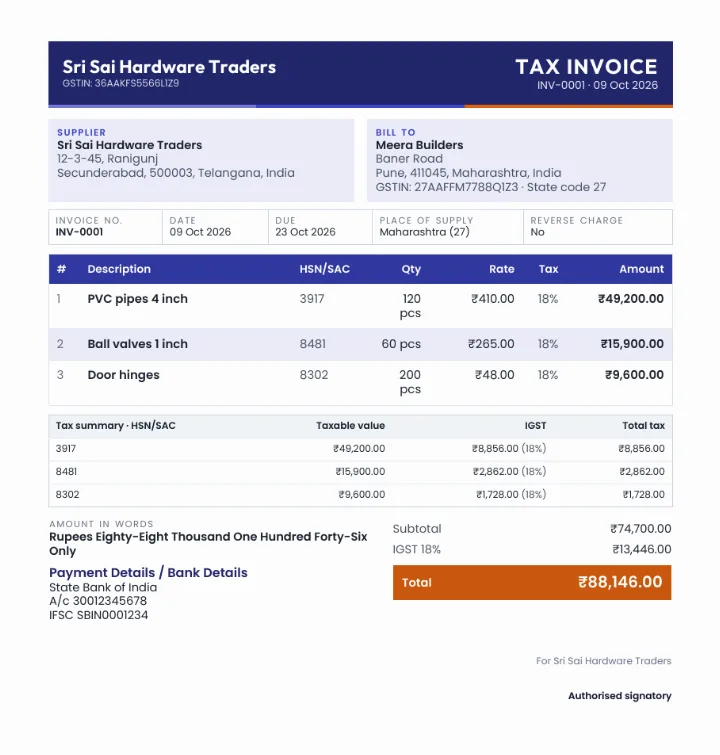
Invoices with your logo and colours
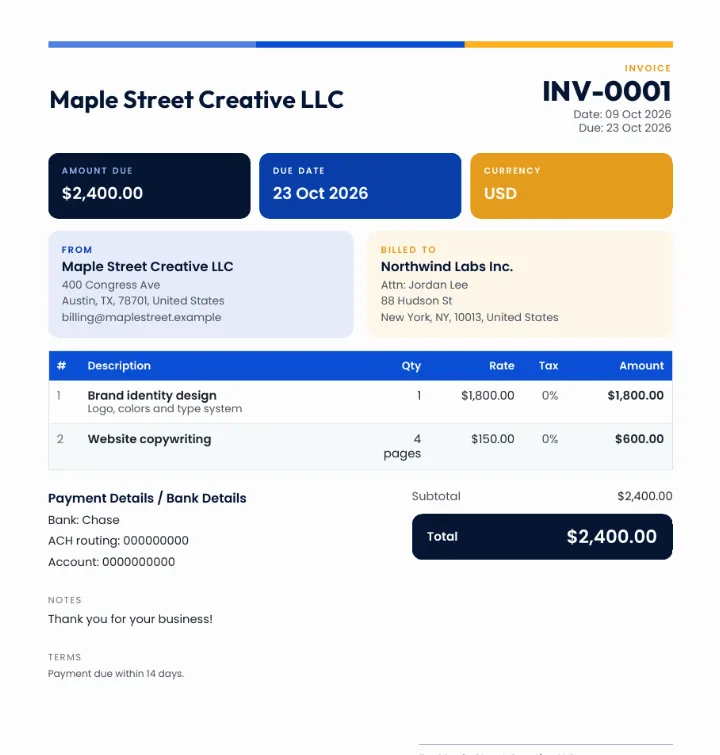
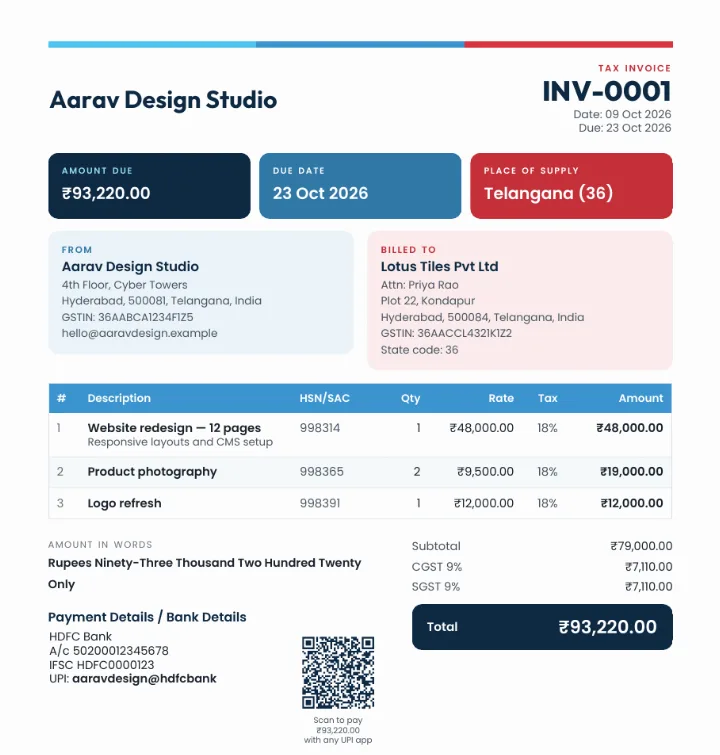
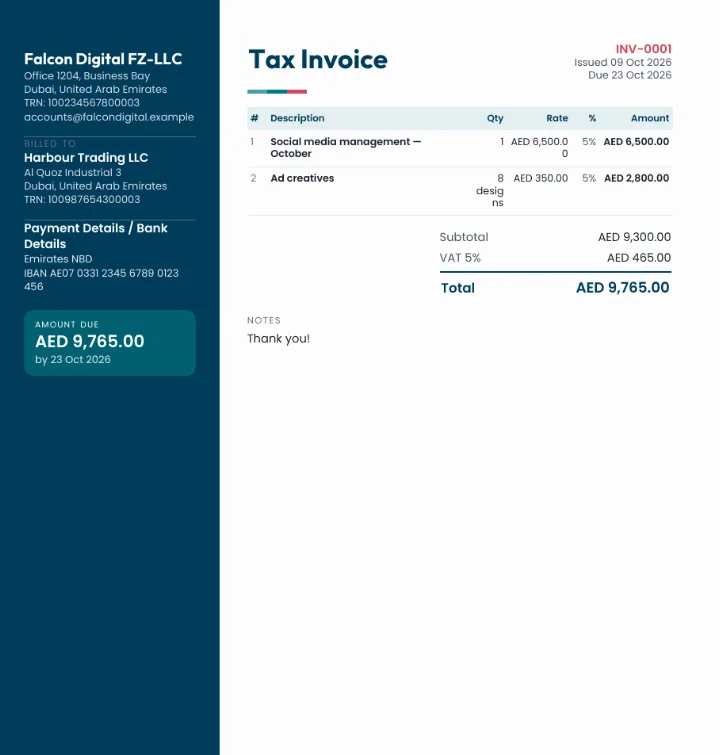
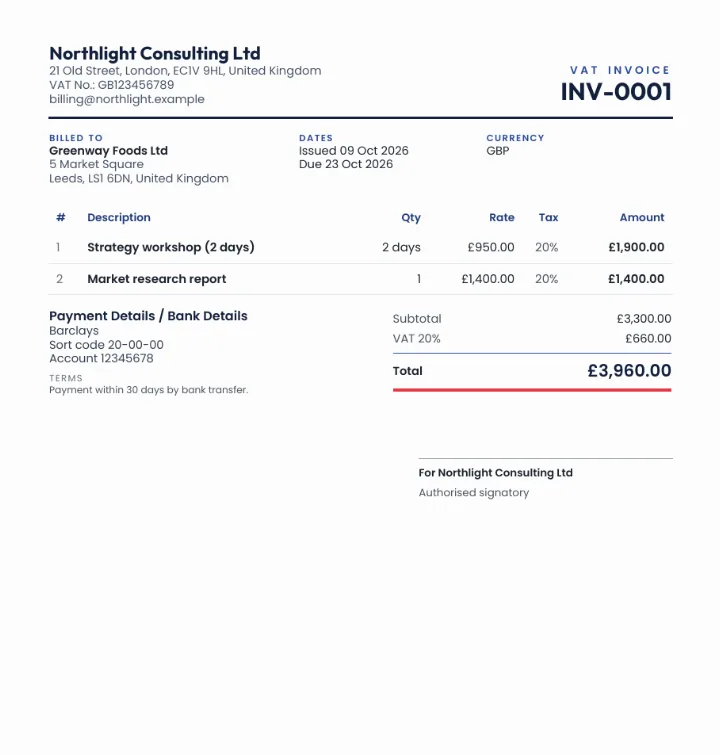
Four layouts, twelve colour sets and your own logo. These are real invoices made with GlobalInvoiceHub.
Free to start. Fair when you grow.
The free plan includes every template and tax setting. Upgrade when you send more than five invoices a month. Prices are set for your market.
- 5 invoices and 5 quotes a month
- Sales tax, VAT & GST
- All templates and colours
- Email, link, WhatsApp & PDF
- UPI QR on Indian invoices
- Unlimited invoices and quotes
- Your brand only, no GlobalInvoiceHub footer
- Card payments Soon
- Recurring invoices & reminders Soon
- Priority support
How do you send an invoice?
Create the invoice, then choose how to send it: email it with a ready-written message and the PDF attached, share its link on WhatsApp or any chat app, or download the PDF and send it yourself. Your client opens a clean online invoice they can view and download, and you can see when they opened it.
What does an invoice look like?
A proper invoice shows your business name and contact details, your client’s details, an invoice number and date, a due date, a list of items with prices, any tax, and the total due. Every GlobalInvoiceHub template includes all of these, plus the tax details your country requires.
Is GlobalInvoiceHub free?
Yes. You can create 5 invoices and 5 quotes every month at no cost, with every template, colour and tax setting. Pro removes the monthly limit.
Does it handle VAT and GST?
Yes. Choose your country once and the right tax is applied automatically from where you and your client are: sales tax in the US, VAT in the UK, EU and UAE, GST in Singapore, Australia, Canada and India, including CGST, SGST and IGST, export invoices under LUT and EU reverse charge. You can still change a rate or add a custom tax.
Can I bill clients in another currency?
Yes. Bill in USD, GBP, EUR, AED, SGD, INR and many more. Your dashboard adds everything up in your home currency.
Can I make custom invoices with my logo?
Yes. Upload your logo, pick one of four layouts and one of twelve colour sets, or your own brand colours. Every invoice, email and PDF uses them.
Can I create quotes, credit notes and receipts too?
Yes. Send a quote, turn it into an invoice in one click when it is accepted, issue a credit note to correct an invoice, and download a receipt for every payment you record.
Can Indian clients pay by UPI?
Yes. Add your UPI ID once and every Indian invoice in rupees shows a UPI QR code for the amount due. Your client scans it with any UPI app and the money goes straight to your account.
Is my data safe?
Your account is protected by your password and optional two-step login, every page is served over a secure connection, and each business’s data is kept separate and visible only to you.
Send your first invoice today.
Free for 5 invoices a month. No card, no setup.
Create free invoiceAlready have an account? Log in