
Invoicing software for cleaning businesses that bill every week
Regular home and office cleans billed on their own, quotes for move-out and deep cleans, and customers who can pay by card the same day.
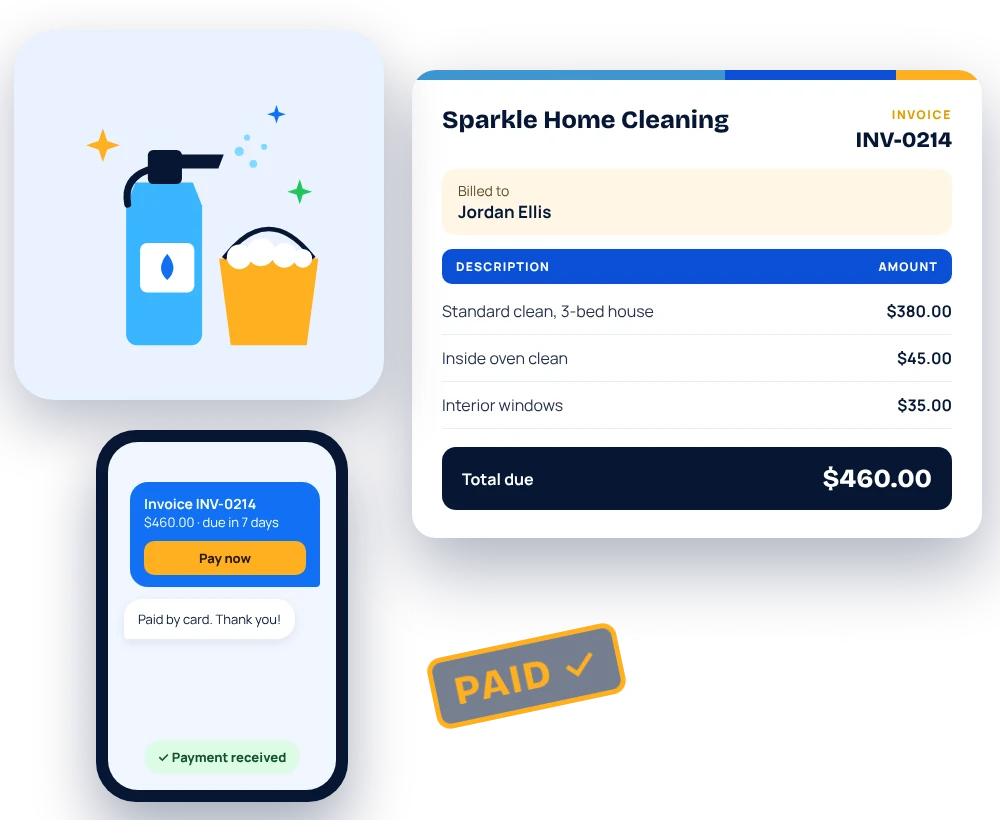
Running a cleaning business means a lot of small invoices. A weekly house clean here, a fortnightly office there, and a one-off end-of-tenancy job in between. Writing each one by hand and then chasing the late ones can take up a whole evening every week.
Good invoicing software for cleaning businesses takes that job off your hands. It sends the regular invoices on the right day, keeps your price list ready, lets customers pay by card and sends a polite reminder when someone forgets. GlobalInvoiceHub does all of this, and you can start for free. If you are still comparing tools, our page on the best invoicing software for small business explains what else to look for.
What the best invoicing software for cleaning businesses should do
- Bill regular cleans automatically. Set up a weekly, fortnightly or monthly invoice once, and it goes out on its own every time.
- Quote one-off jobs quickly. Deep cleans, move-in and move-out cleans and carpet cleaning usually need a price agreed first.
- Keep your prices in one place. Standard rates for a two-bed home, an office by the hour or an oven clean should be one tap away.
- Take card payments. Customers who are at work all day would rather pay from their phone than leave cash under the mat.
- Chase late payments for you. Friendly reminders before and after the due date, sent automatically.
- Work on a phone. You spend the day driving between jobs, so invoicing has to work on your phone.
How GlobalInvoiceHub works for your cleaning business
You don’t need any accounting knowledge. If you know who you worked for and what you charged, you have everything you need.
Add your customers and services
Enter each customer’s name, address and email once. Save your usual services, such as “Standard clean, 3 hours” or “Oven clean”, with their prices.
Set up regular cleans
For each regular customer, make the invoice recurring: every week, every 2 weeks or every month. Choose whether it is emailed automatically or saved as a draft for you to check.
Quote the one-off jobs
Send a quote for a deep clean or end-of-tenancy clean. The customer accepts it online, and it becomes an invoice in one tap when the job is done.
Get paid and stay on top
Customers pay by card or online from the invoice. Reminders go out for anything late, and your dashboard shows who still owes you.
Features cleaning businesses use most
- Recurring invoices: every week, every 2 weeks, every month or any gap you choose
- Saved services: your price list, ready to add to any invoice or quote
- Service address: a separate “Ship to” address for the property you cleaned, so landlords and agents know which job it was
- Pay now button: card and online payments into your own Stripe, Razorpay or PayPal account, with no fee from us
- Automatic reminders and late fees: polite emails before and after the due date, and an optional late fee
- Team members: let a supervisor create and send invoices while you keep control of the money settings
A monthly invoice for a weekly customer. Add sales tax where your state requires it, and it is worked out for you.
Tips to get paid faster for cleaning work
- Invoice on the same day. Send the invoice before you leave the driveway. People pay faster while the clean is still fresh in their mind.
- Agree payment terms up front. Tell new customers when invoices go out and when payment is due, for example within 7 days. Our guide to payment terms has more ideas.
- Offer card payments. A Pay now button removes the “I’ll transfer it later” delay.
- Ask for a deposit on big one-off jobs. For a large move-out clean, ask for part of the price when the booking is confirmed.
Free for 5 invoices a month
Every template, the tax settings, quotes, online payments and reminders are on the free plan. Pro removes the monthly limit when you need more.
Start free Compare the free plan and ProQuestions from cleaning business owners
New to invoicing? Read our guide on how to write an invoice.
Can I bill a regular customer every two weeks?
Yes. Make the invoice recurring and choose every 2 weeks. It is created on the right date each time, and either emailed to the customer or saved as a draft for you to check first.
Can I put several cleans on one monthly invoice?
Yes. Add one line for the cleans with the number of visits as the quantity, plus any extras such as an oven clean. Many cleaners bill weekly customers once a month this way.
How do my customers pay?
Connect your own Stripe, Razorpay or PayPal account and every invoice gets a Pay now button. The money goes straight to you. Customers can also pay by bank transfer using the details printed on the invoice.
Is it really free?
Yes. You can send 5 invoices and 5 quotes every month at no cost, and run one recurring invoice. Most features on this page are included. Pro removes the limits, including unlimited recurring invoices, for one yearly payment.
Can my cleaners use it too?
Yes. Invite team members as Employees so they can create and send invoices. Only you and your admins can change bank details, payment settings or delete things.
Invoicing software for other businesses
GlobalInvoiceHub is invoicing software for small businesses of every kind. See how it works for these trades too, or browse every industry.
Clients in other countries, their currency, deposits and the right tax. Invoicing software for consultants
Monthly retainers, hourly work, milestones and expenses on one invoice. Invoicing software for landscaping
Regular lawn care billed monthly, plus deposits for bigger installs. Invoicing software for roofing contractors
Estimates, deposits, progress payments and change orders for roof jobs. Invoicing software for pool services
Weekly service billed monthly, chemicals and repairs added as needed. Invoicing software for law firms
Hourly and flat-fee matters, retainers and matter numbers on invoices. Invoicing software for glass and glazing
Measured quotes, a deposit before glass is ordered, balance on install. Invoicing software for pet boarding
Booking deposits, per-night stays, add-ons and card payments. Invoicing software for security companies
Installation quotes with deposits and monthly monitoring contracts.
Send your first invoice today.
Free for 5 invoices a month. No card, no setup.
Create free invoiceAlready have an account? Log in