
Invoicing software for freelancers with clients anywhere
Designers, developers, writers and marketers: send a professional invoice in your client’s currency, with the right tax, and get paid without the back-and-forth.
As a freelancer you are the designer, the salesperson and the accounts department all at once. Invoicing should take a few minutes. Yet many freelancers still copy last month’s invoice in a spreadsheet, change the numbers and hope nothing is wrong, especially when the client is in another country.
The best invoicing software for freelancers in 2026 sorts this out for you: invoices that look professional, the correct tax for each client, their currency, a deposit before you start and an easy way to pay. GlobalInvoiceHub was made for this kind of work. The free plan covers most freelancers who send up to five invoices a month, and the same tools work for growing studios and consultants.
What the best invoicing software for freelancers should do in 2026
- Look professional with no design work. Your logo, your colours and a clean layout from our free invoice templates, so a one-person business looks established.
- Bill in the client’s currency. A client in London expects pounds, one in Dubai expects dirhams. The software should handle it.
- Get the tax right across borders. Export invoices, EU reverse charge and local VAT or GST notes, without you looking up the rules.
- Take a deposit. Ask for part of the fee before you start a project, then bill the balance at the end.
- Let clients pay online. Card or PayPal from the invoice itself, straight into your own account.
- Cost little or nothing. A free plan when you are starting out, and a fair price as you grow.
How GlobalInvoiceHub works for freelancers
You don’t need any accounting knowledge. If you know who you worked for and what you charged, you have everything you need.
Set up your business once
Add your name or business name, logo, country and tax number if you have one. Your invoice numbers and payment details are saved for every invoice after that.
Add a client
Enter their name, company and country. Their currency and the right tax treatment are picked for you from where they are.
Quote, then invoice
Send a quote for the project. When the client accepts it online, turn it into an invoice, or ask for a deposit first and bill the balance when you deliver with project billing.
Send it and get paid
Email the invoice or share a link on WhatsApp or Slack. You see when it is opened, the client can pay online, and reminders go out if it is late.
Features freelancers use most
- Any currency: USD, GBP, EUR, AED, SGD, INR and many more, set from your client’s country (how currencies work)
- Tax for each client: export invoices, EU reverse charge, UK VAT, India GST under LUT and more
- Project billing: a deposit or milestones, then a balance invoice that subtracts what was paid
- Quotes with e-signature: clients accept online, and the quote becomes an invoice in one tap
- Pay now button: card and PayPal payments into your own Stripe, Razorpay or PayPal account
- Expenses: stock photos, fonts or plugin licences bought for a client can be added to their invoice
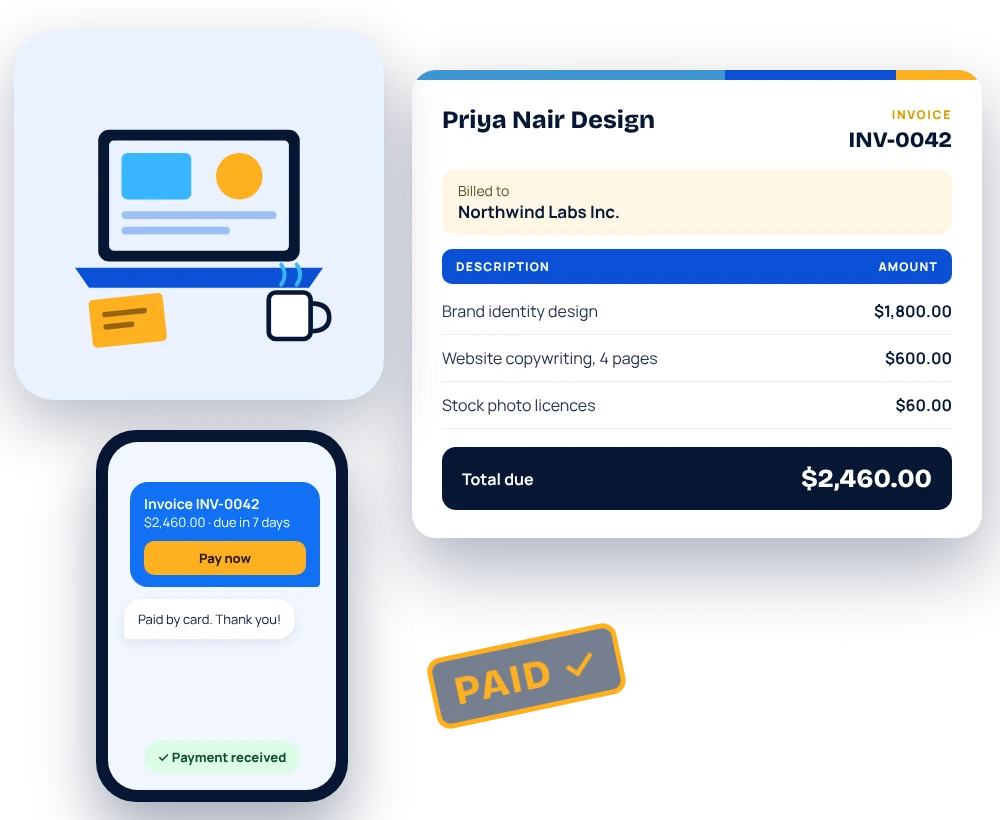
A US client billed in dollars by a freelancer in another country. The export wording is added for you where your country requires it.
Tips to get paid faster as a freelancer
- Ask for a deposit. 30% to 50% before you start protects you if a project stalls, and shows the client is serious.
- Write clear line items. “Homepage design, 2 rounds of changes” gets approved faster than “Design work”.
- Use short payment terms. 7 or 14 days is normal for freelance work. Put the actual due date on the invoice, as our invoicing guide explains.
- Make paying easy. A Pay now button, or bank details in the client’s own currency, removes the last excuse to wait.
Free for 5 invoices a month
Every template, the tax settings, quotes, online payments and reminders are on the free plan. Pro removes the monthly limit when you need more.
Start free Compare the free plan and ProWhat is the best invoicing software for freelancers in 2026?
The best choice is the one that fits how you work. If you bill clients in other countries, look for multi-currency invoices, the correct tax wording for exports and online payments. GlobalInvoiceHub covers all three and is free for up to 5 invoices and 5 quotes a month.
Do I need to be registered for VAT or GST to use it?
No. If you are not registered, your invoices simply show no tax. If you register later, add your tax number in Settings and the right tax is added from then on.
Can I bill a client in another currency?
Yes. The currency comes from your client’s country, so a UK client is billed in pounds and a US client in dollars. Your dashboard adds everything up in your home currency.
How do clients pay me?
Connect your own Stripe, Razorpay or PayPal account to add a Pay now button, or let clients pay by bank transfer using the details on the invoice. We never take a cut of your payments.
Can I take a deposit before starting a project?
Yes. Create a project, choose an advance such as 30%, and send the advance invoice. When the work is done, the balance invoice subtracts what has already been paid.
Invoicing software for other businesses
GlobalInvoiceHub is invoicing software for small businesses of every kind. See how it works for these trades too, or browse every industry.
Monthly retainers, hourly work, milestones and expenses on one invoice. Invoicing software for cleaning businesses
Weekly and fortnightly cleans billed on their own, plus one-off deep cleans. Invoicing software for landscaping
Regular lawn care billed monthly, plus deposits for bigger installs. Invoicing software for roofing contractors
Estimates, deposits, progress payments and change orders for roof jobs. Invoicing software for pool services
Weekly service billed monthly, chemicals and repairs added as needed. Invoicing software for law firms
Hourly and flat-fee matters, retainers and matter numbers on invoices. Invoicing software for glass and glazing
Measured quotes, a deposit before glass is ordered, balance on install. Invoicing software for pet boarding
Booking deposits, per-night stays, add-ons and card payments. Invoicing software for security companies
Installation quotes with deposits and monthly monitoring contracts.
Send your first invoice today.
Free for 5 invoices a month. No card, no setup.
Create free invoiceAlready have an account? Log in