
Quoting and invoicing software for security companies
Quote CCTV and alarm installs, take a deposit before ordering equipment, and bill monitoring or guarding contracts automatically every month.
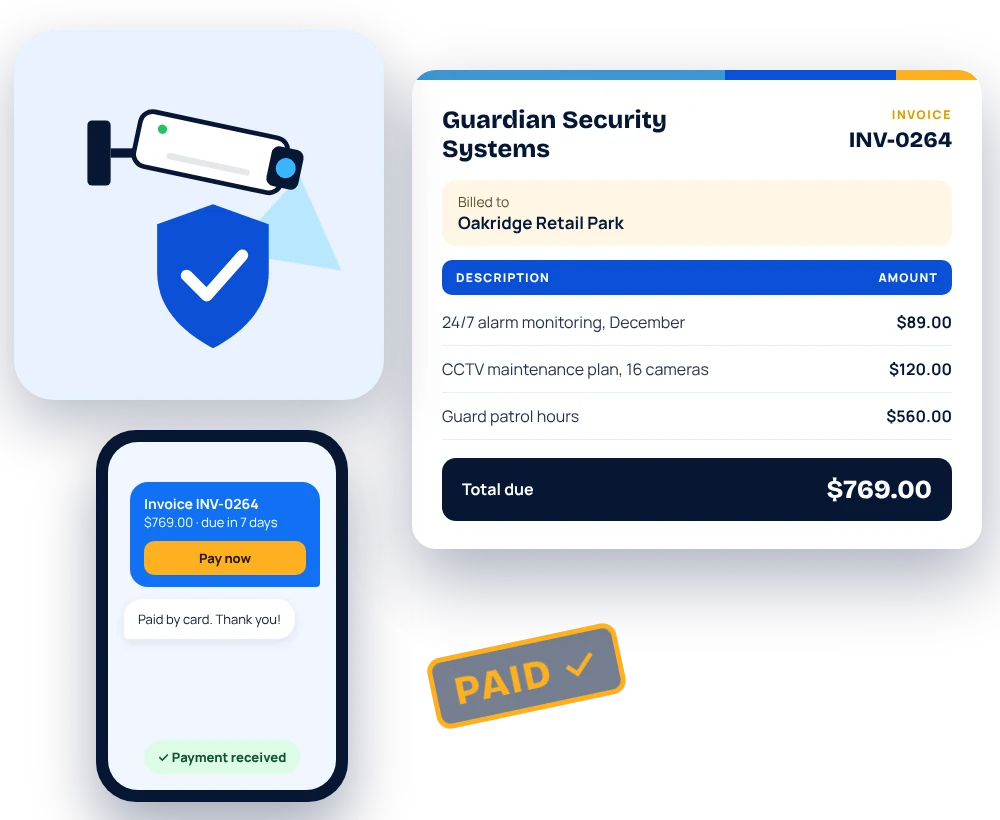
Security businesses earn money in two ways: projects and contracts. Installing CCTV, alarms or access control is a project, with equipment to order and a deposit to collect. Monitoring, maintenance and guarding are contracts, billed every month for years. Both need clear quotes and invoices, and both suffer when billing slips.
Good quoting and invoicing software for security companies turns a quote into a project, takes a deposit and bills recurring contracts on time. GlobalInvoiceHub does that. It does not schedule technicians or guards, so keep your current scheduling tool for rotas and job dispatch, and use GlobalInvoiceHub for the money side. If you also offer cleaning or facilities work, see our page on invoicing for cleaning businesses.
What the best quoting and invoicing software for security companies should do
- Send detailed quotes. Cameras, recorders, sensors, cabling and labour on clear lines.
- Take a deposit for equipment. Cover the hardware cost before you order it.
- Bill contracts every month. Monitoring, maintenance and guarding invoiced on the same day, automatically.
- Show the site address. Customers with several sites need to know which location each invoice covers.
- Handle business customers. PO numbers, statements and payment terms that suit their accounts teams.
- Chase overdue contracts. Automatic reminders, and late fees if your contracts allow them.
How GlobalInvoiceHub works for your security business
You don’t need any accounting knowledge. If you know who you worked for and what you charged, you have everything you need.
Save equipment and services
Add cameras, panels, sensors, install labour, monitoring plans and guard hours with their prices.
Quote the installation
Send a quote with each item. The customer accepts online with a signature, and you create a project with a deposit.
Install and bill the balance
Invoice the deposit before ordering equipment with project billing, add any extra devices as change orders, and send the balance invoice when the system is live.
Bill monitoring every month
Set up a recurring invoice for the monitoring or guarding contract. It goes out on the same day each month, and reminders follow up on late payments.
Features security companies use most
- Quotes with e-signature: installations approved online, with the customer’s name and signature recorded
- Project billing: deposit, staged payments, change orders and a balance invoice
- Recurring invoices: monthly monitoring, maintenance and guarding contracts billed automatically
- Site address and custom fields: the site address, PO number or site ID printed on each invoice
- Customer statements: a statement of every invoice and payment for business customers
- Team roles: office staff create quotes and invoices; only owners and admins change payment settings
A monthly contract invoice, sent automatically as a recurring invoice. Sales tax is added where your state requires it.
Tips to get paid faster in the security business
- Take a deposit on hardware. Equipment is often the largest cost of an install. Cover it before you order.
- Bill contracts in advance. Invoice monitoring at the start of each month for the month ahead.
- Add the PO number. Business customers often cannot pay an invoice without their purchase order number on it.
- Use reminders and late fees. State them in your contract, then let the software apply them consistently.
Free for 5 invoices a month
Every template, the tax settings, quotes, online payments and reminders are on the free plan. Pro removes the monthly limit when you need more.
Start free Compare the free plan and ProDoes GlobalInvoiceHub schedule technicians or guards?
No. It handles quotes, invoices and payments. Keep your scheduling or rota tool for jobs and shifts, and use GlobalInvoiceHub to bill the work.
Can I bill monitoring contracts automatically?
Yes. Create a recurring invoice for each contract, monthly or yearly. On the free plan you can run one recurring invoice; Pro has no limit.
Can I take a deposit for an installation?
Yes. Create a project from the accepted quote, set the deposit and send the deposit invoice. The balance invoice subtracts it when the system is installed.
Can I show the site address on invoices?
Yes. Each invoice can have a separate site address, and you can add custom fields such as a PO number or site ID.
How do business customers pay?
By bank transfer using the details on the invoice, or online with the Pay now button if you connect your own Stripe, Razorpay or PayPal account.
Invoicing software for other businesses
GlobalInvoiceHub is invoicing software for small businesses of every kind. See how it works for these trades too, or browse every industry.
Clients in other countries, their currency, deposits and the right tax. Invoicing software for consultants
Monthly retainers, hourly work, milestones and expenses on one invoice. Invoicing software for cleaning businesses
Weekly and fortnightly cleans billed on their own, plus one-off deep cleans. Invoicing software for landscaping
Regular lawn care billed monthly, plus deposits for bigger installs. Invoicing software for roofing contractors
Estimates, deposits, progress payments and change orders for roof jobs. Invoicing software for pool services
Weekly service billed monthly, chemicals and repairs added as needed. Invoicing software for law firms
Hourly and flat-fee matters, retainers and matter numbers on invoices. Invoicing software for glass and glazing
Measured quotes, a deposit before glass is ordered, balance on install. Invoicing software for pet boarding
Booking deposits, per-night stays, add-ons and card payments.
Send your first invoice today.
Free for 5 invoices a month. No card, no setup.
Create free invoiceAlready have an account? Log in