
Payments made through online payments are recorded for you. For bank transfers, UPI or cash, record them yourself so you always know who still owes you.
-
1Open the invoice
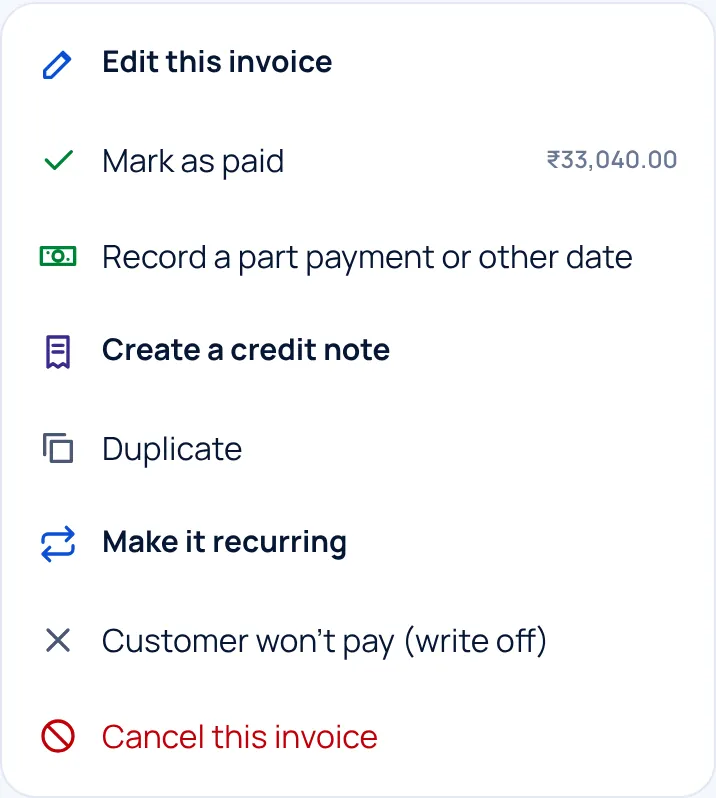
Under the Send it buttons you find Mark as paid (the full balance, today) and Record a part payment or other date.
-
2Enter the payment
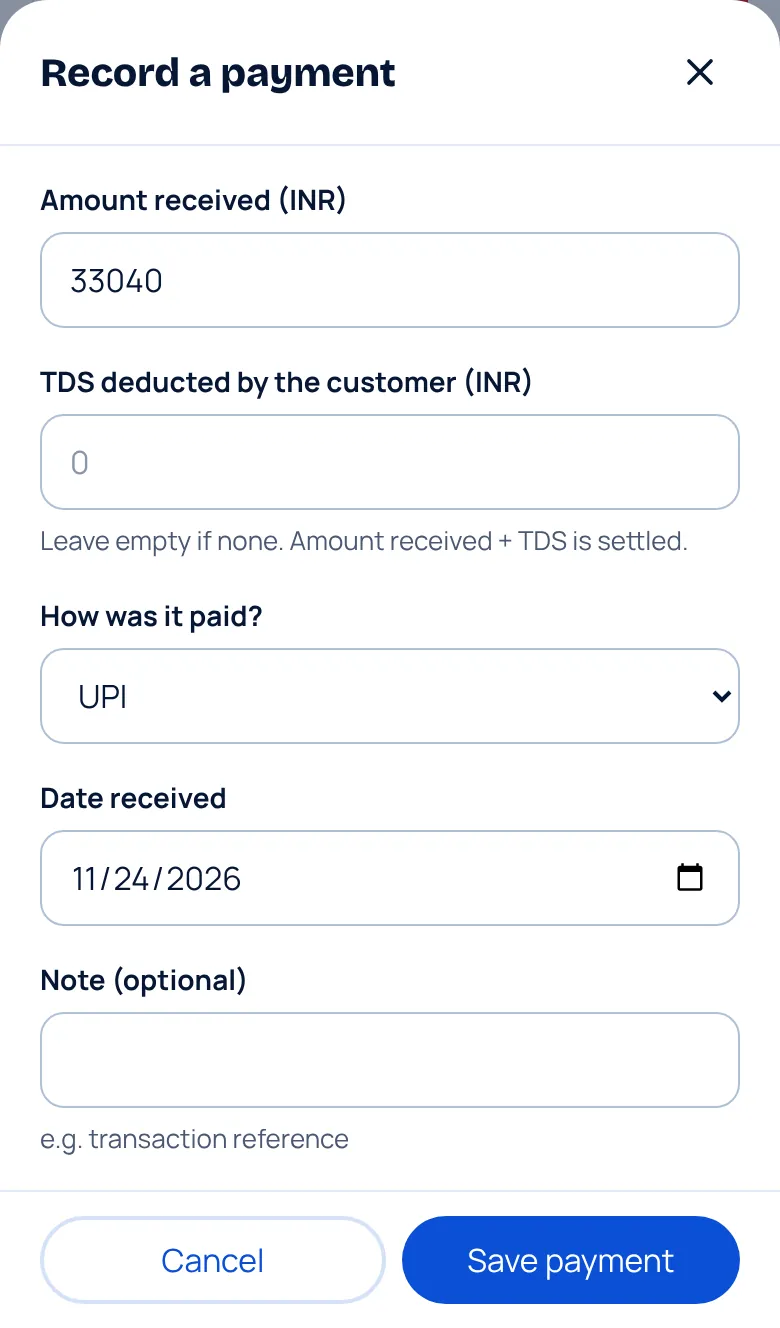
Enter the amount received, how it was paid (UPI, bank transfer, card, cash, cheque or other), the date and an optional note such as the UTR or transaction reference.
In India, if the customer deducted TDS, enter it too: the amount received plus the TDS settles the invoice.
-
3Download or share the receipt
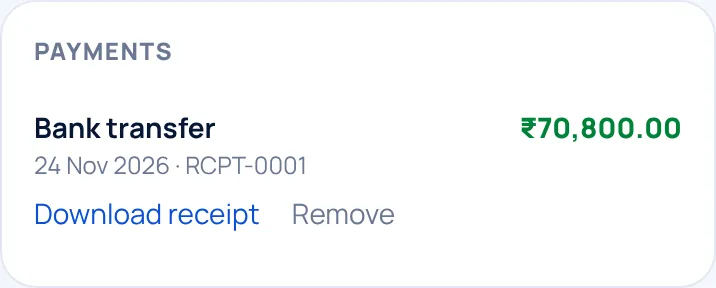
Each payment gets a receipt number (for example RCPT-0001). Press Download receipt to send it to your customer. The invoice shows Paid or Part paid, and Home and Reports update straight away.
Good to know
- Recorded a payment by mistake? Press Remove next to it. The receipt number is not reused.
- Customer will never pay? Use Customer won’t pay (write off) so the invoice no longer shows as owed.
Questions
Can a customer pay in several parts?
Yes. Record each part; the invoice shows Part paid and the balance due until it is fully paid.
What is TDS on a payment?
In India some customers deduct tax at source (TDS) and pay you the rest. Enter the deducted amount so the invoice is settled in full and your reports show the TDS.