
Most small businesses are paid by bank transfer or UPI. When those details are printed on the invoice, your customer can pay the moment they open it.
-
1Open Settings › Getting paid
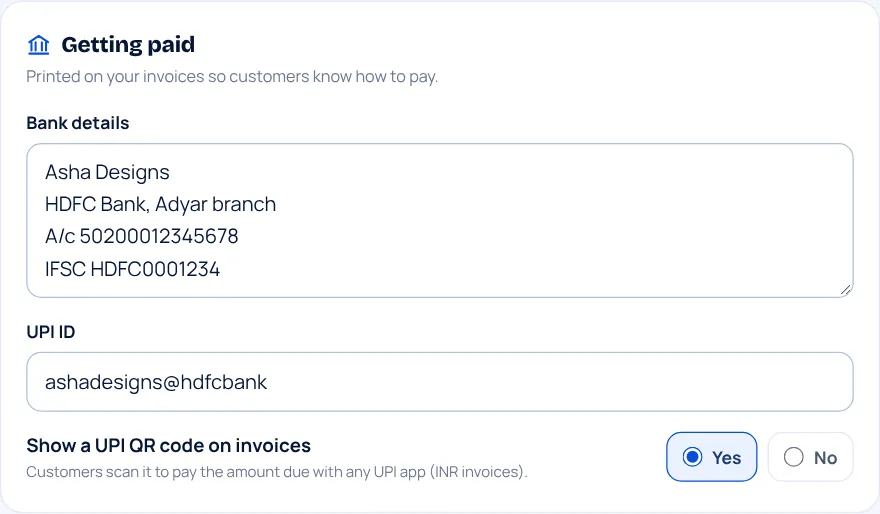
Enter your bank details the way they should be printed: account name, bank and branch, account number and IFSC (or IBAN/SWIFT for customers abroad).
Enter your UPI ID and choose Yes for Show a UPI QR code on invoices. Press Save changes.
-
2Check an invoice
Your details now appear under Payment Details / Bank Details on every invoice. On rupee invoices the QR code carries the exact amount due, so the customer scans it with any UPI app and pays without typing.
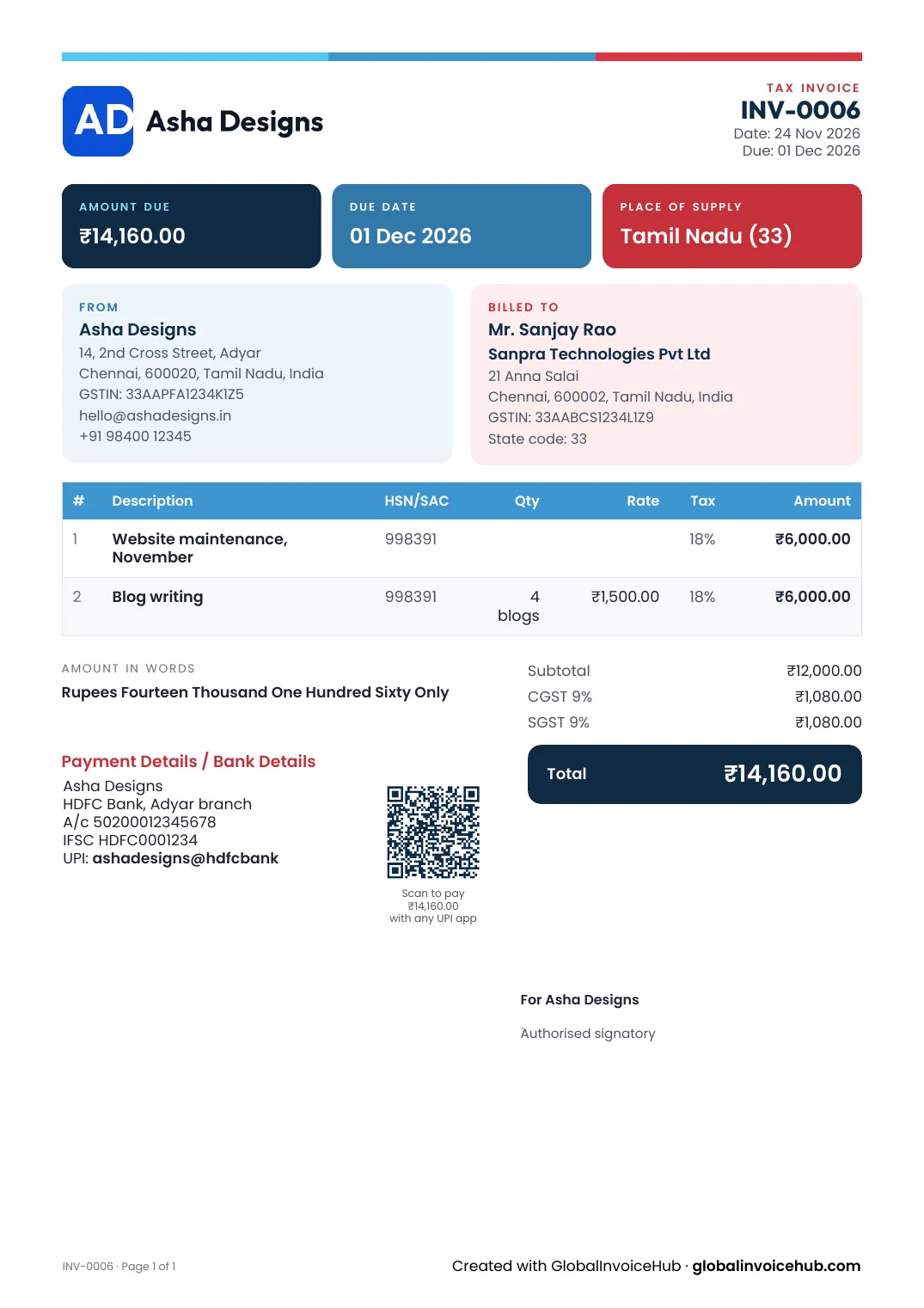
The PDF your customer receives, with bank details and the UPI QR code. -
3Want card payments too?
Show Online payments in Settings › Features and connect your own Razorpay, Stripe or PayPal account. A Pay now button then appears on the invoice; the money goes straight to your account.
Good to know
- Invoices that were not sent yet take your new bank details automatically. Sent invoices keep the details they were issued with.
- The QR code is shown on invoices in rupees (INR), because UPI pays in rupees.
Questions
Is my bank account number safe?
It is shown only on your own invoices and your customer’s invoice page, like on any paper invoice.
Does GlobalInvoiceHub take a fee?
No. Bank and UPI payments go directly to you. With online payments, only your payment company’s normal fee applies.