
If you are registered for GST, every invoice is made as a GST tax invoice: your GSTIN and the customer’s, the place of supply, HSN or SAC codes and the right tax split. You choose the items and rates; the split is worked out for you.
This guide explains what the app does. For your own situation, check with your accountant or the official GST portal, gst.gov.in.
In this guide
-
1Set up GST once
In Settings › Country and tax choose Yes for registered for GST and enter your GSTIN (15 characters). Set your state: it is compared with each customer’s state. Add the SAC code you use most under Invoice defaults; it is filled in on every service item.
-
2Same state: CGST + SGST
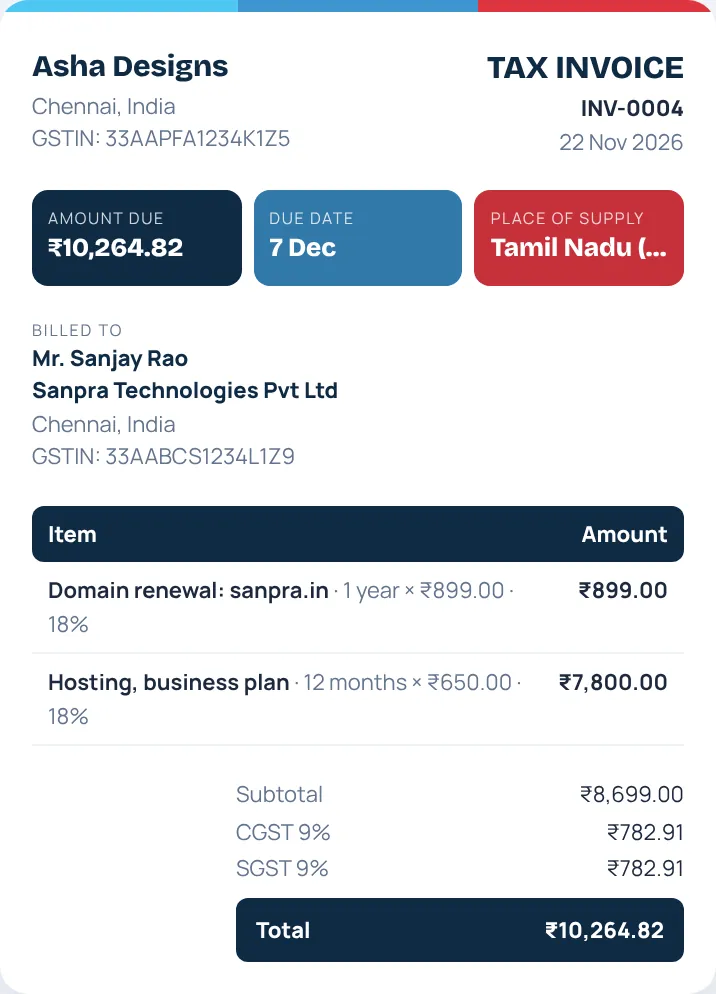
When your customer is in the same state as you (for example both in Tamil Nadu), the tax is split equally into CGST and SGST: 18% GST becomes CGST 9% + SGST 9%. The place of supply is your state.
-
3Another state: IGST
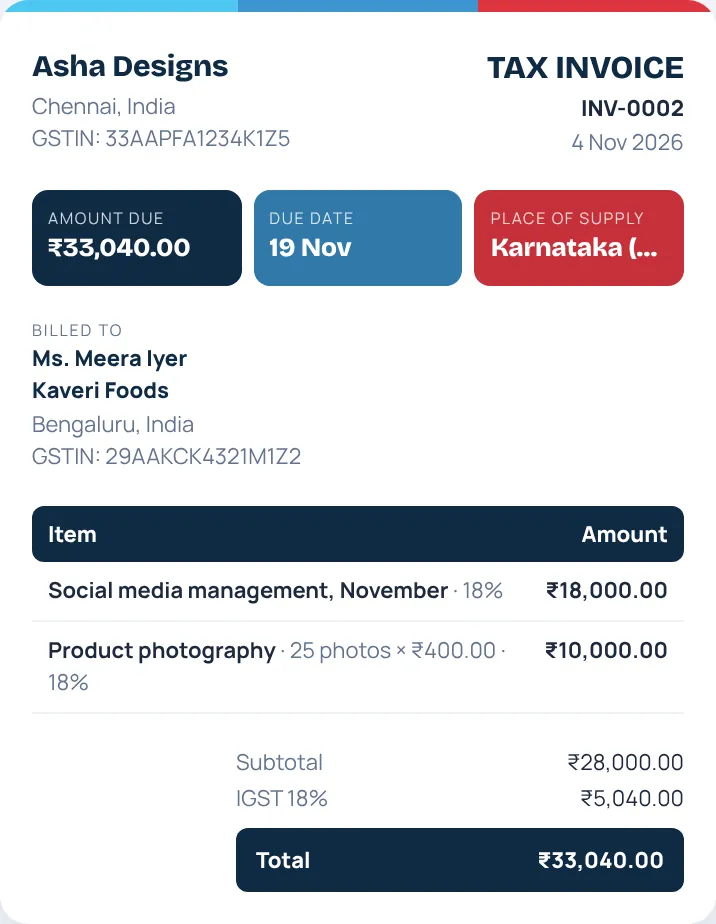
When the customer is in another state (for example you in Tamil Nadu, they in Karnataka), the full rate is charged as IGST. The place of supply shows the customer’s state and code, for example Karnataka (29).
-
4Customers abroad and SEZ units
For a customer outside India, enter your LUT (Letter of Undertaking) ARN and its valid-until date in Settings. Export invoices are then made without IGST, with the export wording and your LUT number on the invoice. Without a valid LUT, IGST is charged on exports.
A customer marked as an SEZ unit or developer is treated the same way: zero-rated under your LUT, or IGST without one.
-
5Not registered for GST
If you chose No, your invoices are titled Invoice and show no GST. When you register, add your GSTIN in Settings: new invoices then become tax invoices.
Good to know
- The customer’s GSTIN is printed on the invoice so they can claim input tax credit. Add it under the customer’s Tax details.
- Amount in words, invoice numbering and the supplier’s signature are on every PDF. Add your signature under Settings › Invoice look.
- Your GST summary is under Reports › GST, ready for your return.
Questions
How does GlobalInvoiceHub decide between CGST + SGST and IGST?
It compares your state with the customer’s state (the place of supply). Same state: CGST + SGST. Different state, SEZ or export with tax paid: IGST.
Where do I enter the HSN or SAC code?
On each item. A default SAC code from Settings is filled in on service items; change it on the item if needed.
Can I bill a foreign customer without GST?
Yes, with a valid LUT entered in Settings. The invoice is then an export of services without payment of IGST, with the LUT number printed on it.