
A quote (also called a quotation or estimate) tells the customer the price before you start. It is not a tax invoice, so it does not count in your tax return.
In this guide
-
1Create the quote
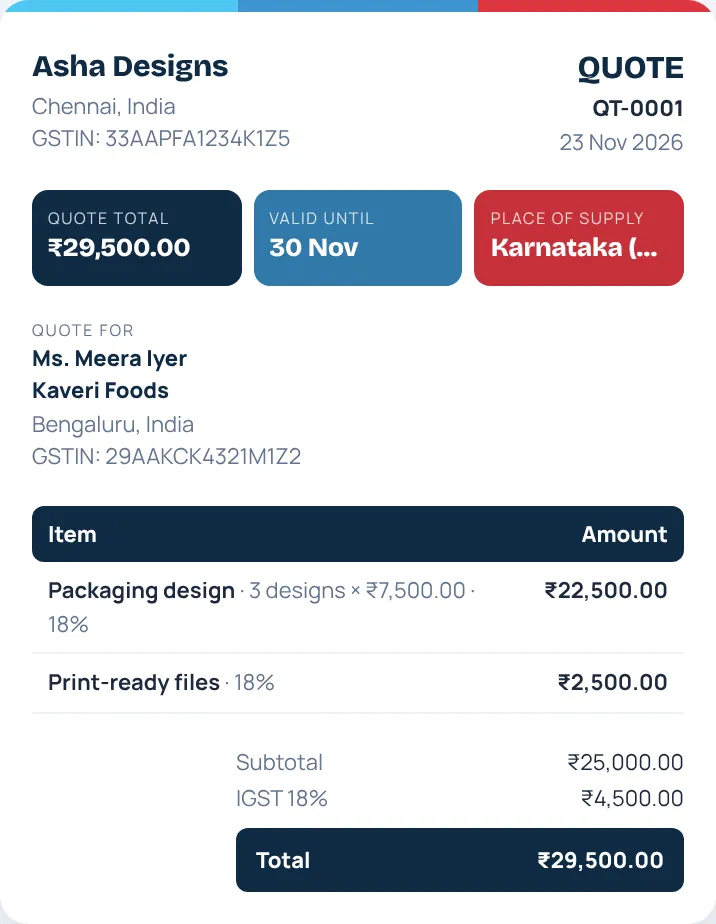
Press New quote on Home, or choose Quote at the top of the invoice form. Fill it in like an invoice: customer, items with quantity and rate, and the Valid until date.
-
2Send it
Send it by email, WhatsApp or link, just like an invoice. The customer can open it online and accept it.
-
3Turn it into an invoice
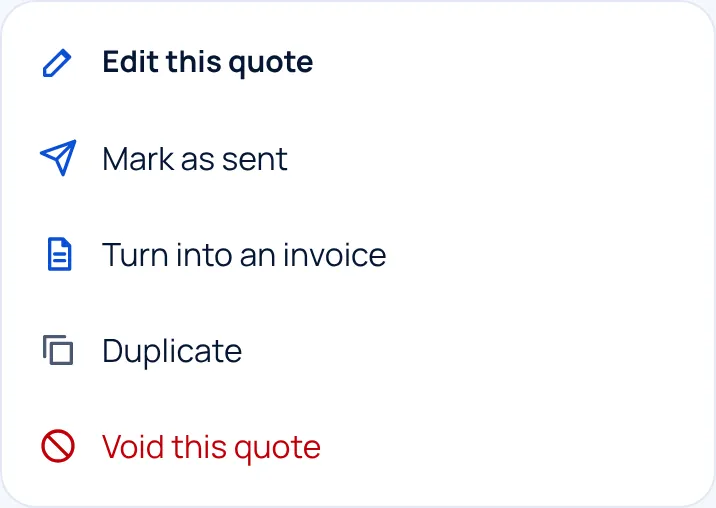
When the customer agrees, open the quote and press Turn into an invoice. Everything is copied: customer, items, prices and tax. Check the dates and send.
Good to know
- Quotes have their own numbers (QT-0001, QT-0002…), separate from invoices.
- Free plan: 5 quotes a month on top of your 5 invoices.
Questions
Is a quote the same as a proforma invoice?
Both show the price before the sale. A proforma invoice looks like an invoice and is often used for advance payments or import paperwork. Proforma invoices can be shown in Settings › Features.