
GlobalInvoiceHub is free for 5 invoices and 5 quotes a month, with no card needed. This guide takes you from sign-up to your first sent invoice. Each step links to a more detailed guide if you want to know more.
In this guide
-
1Create your free account
Go to the sign-up page and enter your name, email and a password (at least 8 characters, with letters and numbers). We send you an email to confirm your address; you can start straight away and confirm later.
-
2Set up your business
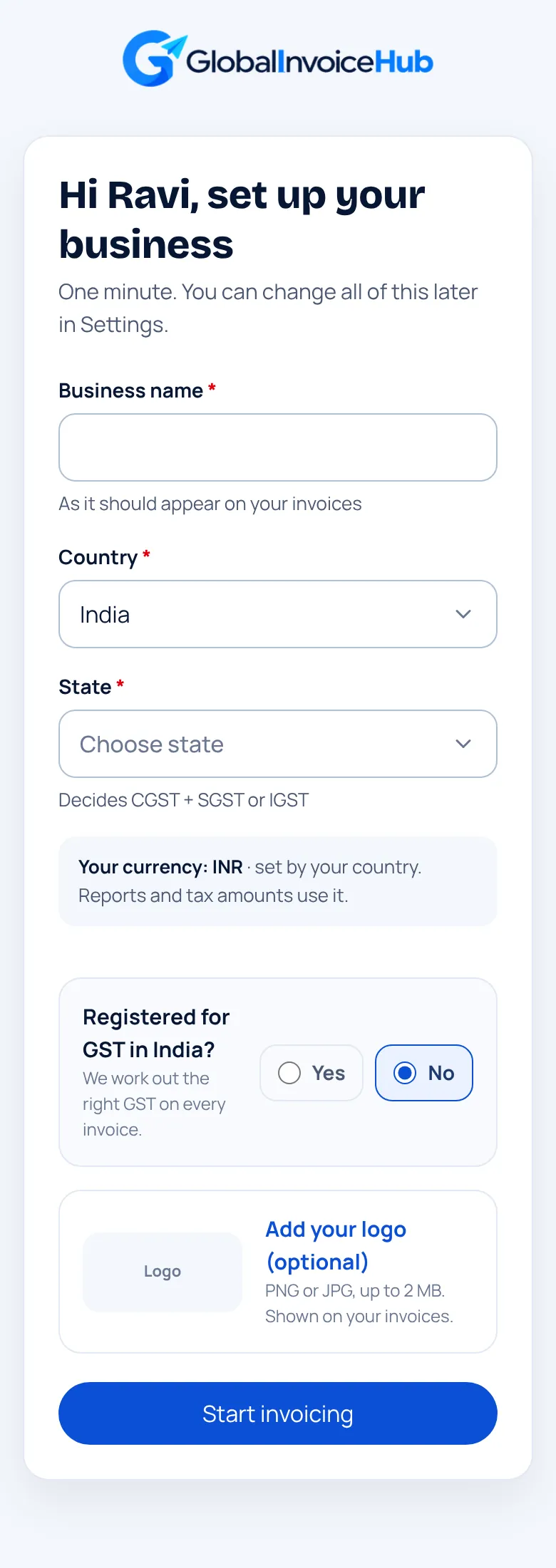
Next you tell us about your business: its name as it should appear on invoices, your country and, in India, your state. Your currency is set from your country.
In India, choose whether you are registered for GST. If you choose Yes, you add your GSTIN later in Settings and the right GST goes on every invoice. You can add your logo now or later. Everything here can be changed in Settings.
-
3Look around the Home screen
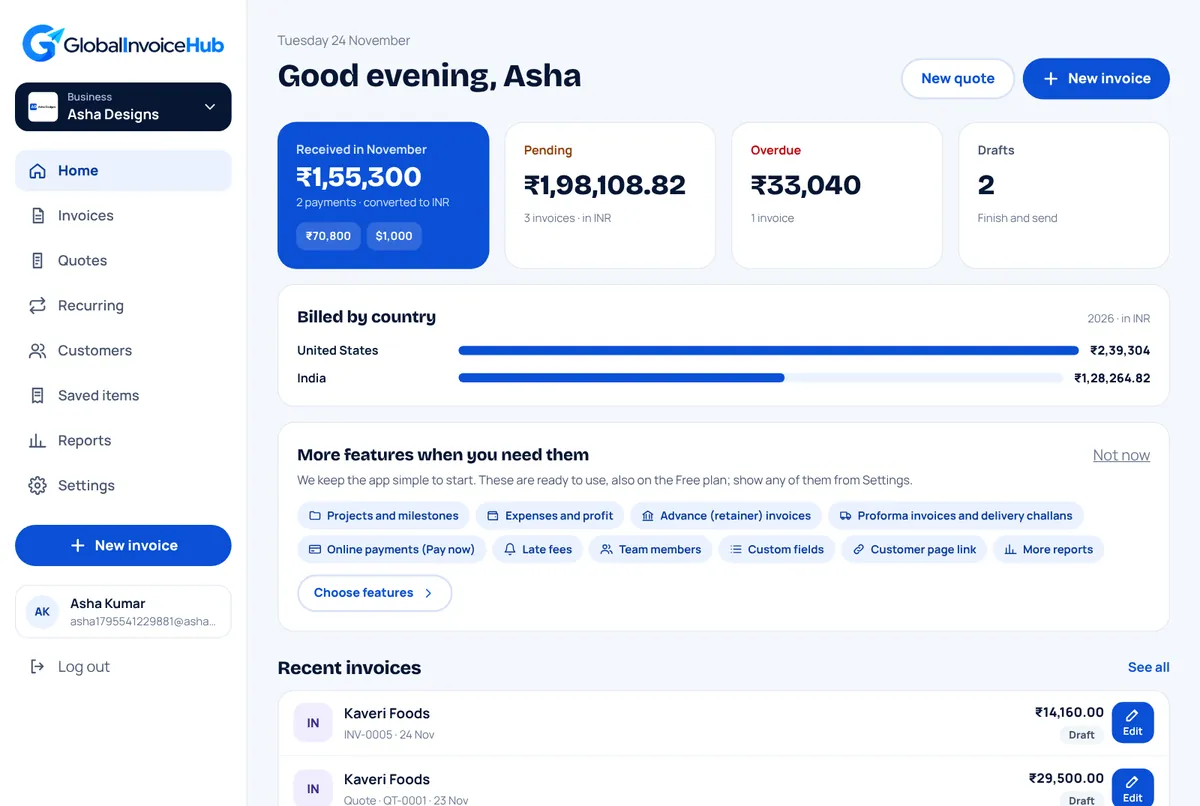
Home shows what you were paid this month, what is pending and what is overdue, plus your recent invoices. The blue New invoice button is always there: at the top on a computer and the round + button at the bottom on a phone.
-
4Add your bank or UPI details
Before your first invoice, open Settings › Getting paid and enter your bank details and UPI ID. They print on every invoice, so customers know how to pay you. See bank and UPI details.
-
5Create the invoice
Press New invoice, choose or add the customer, then add what you are billing for: a name, the quantity and the rate. The tax is worked out from where you and your customer are. Press Save invoice. The full walk-through is in create an invoice.
-
6Send it
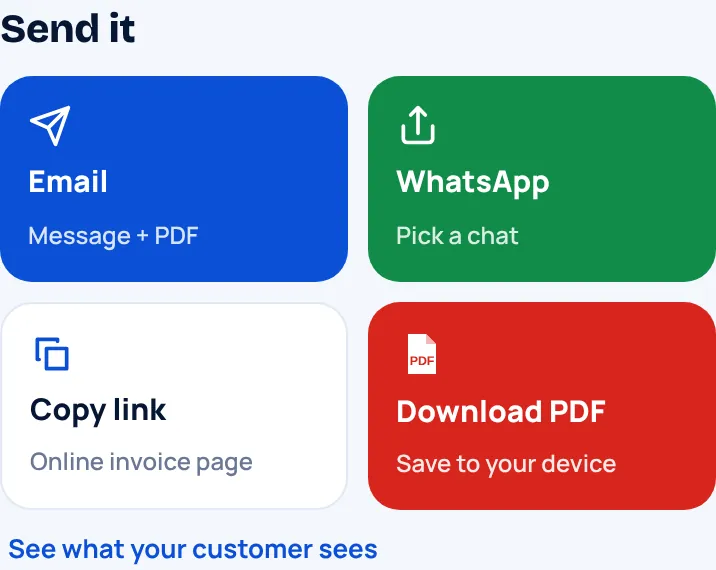
On the invoice screen, choose Email, WhatsApp, Copy link or Download PDF. Sending or downloading issues the invoice, so its number is fixed. See send an invoice.
Good to know
- Your first 5 invoices and 5 quotes every month are free, for everyone, always. See free plan and Pro.
- The app starts simple. Extras like projects, expenses and online payments can be shown any time: see show more features.
Questions
Do I need a credit card to start?
No. The free plan needs no card. You only pay if you choose Pro for unlimited invoices.
Can I use it on my phone?
Yes. GlobalInvoiceHub works in the browser on any phone, tablet or computer. Everything you see in these guides works on a phone.
I am not registered for GST. Can I still use it?
Yes. Choose No for GST registration. Your invoices then show no GST, and you can add your GSTIN later if you register.